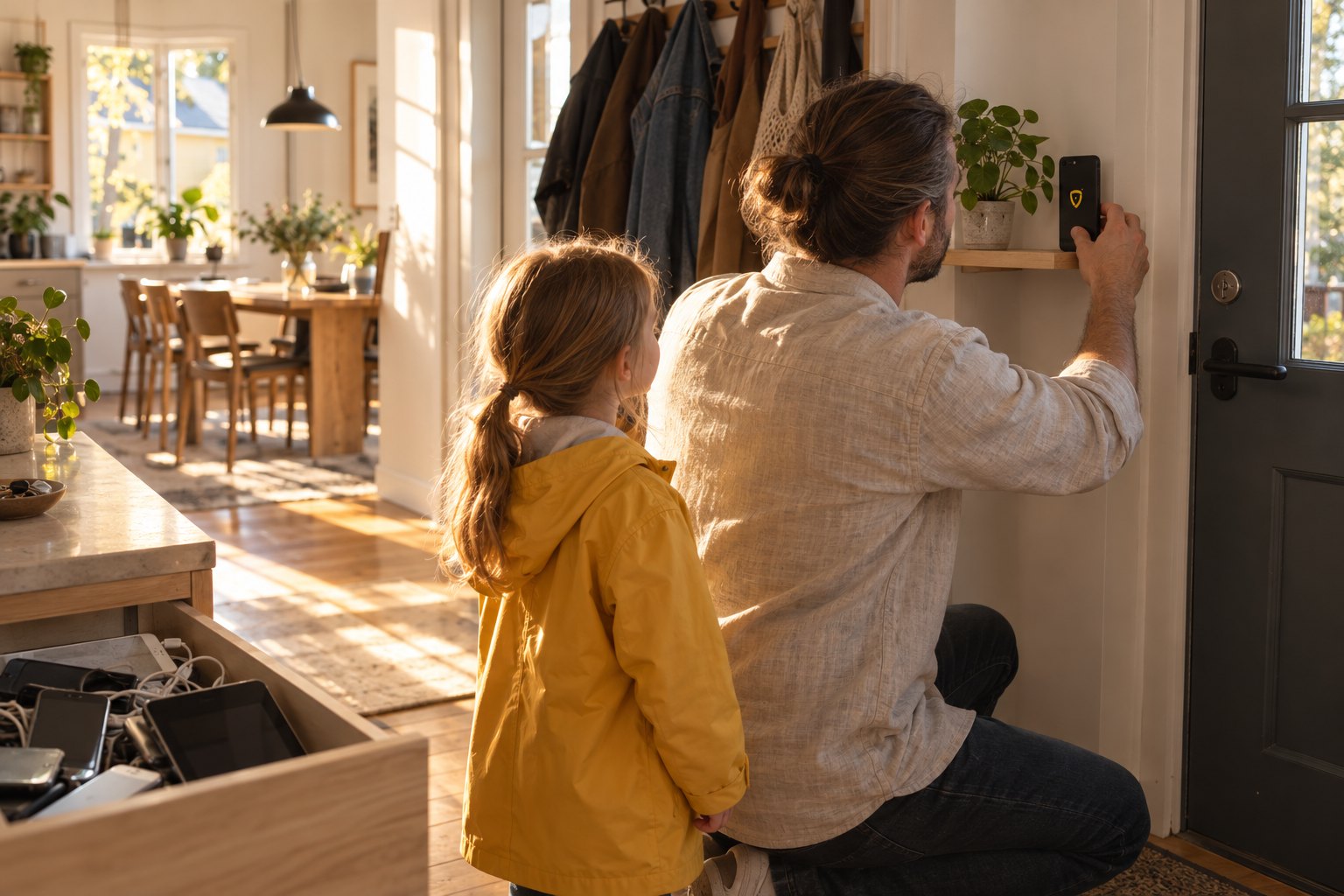
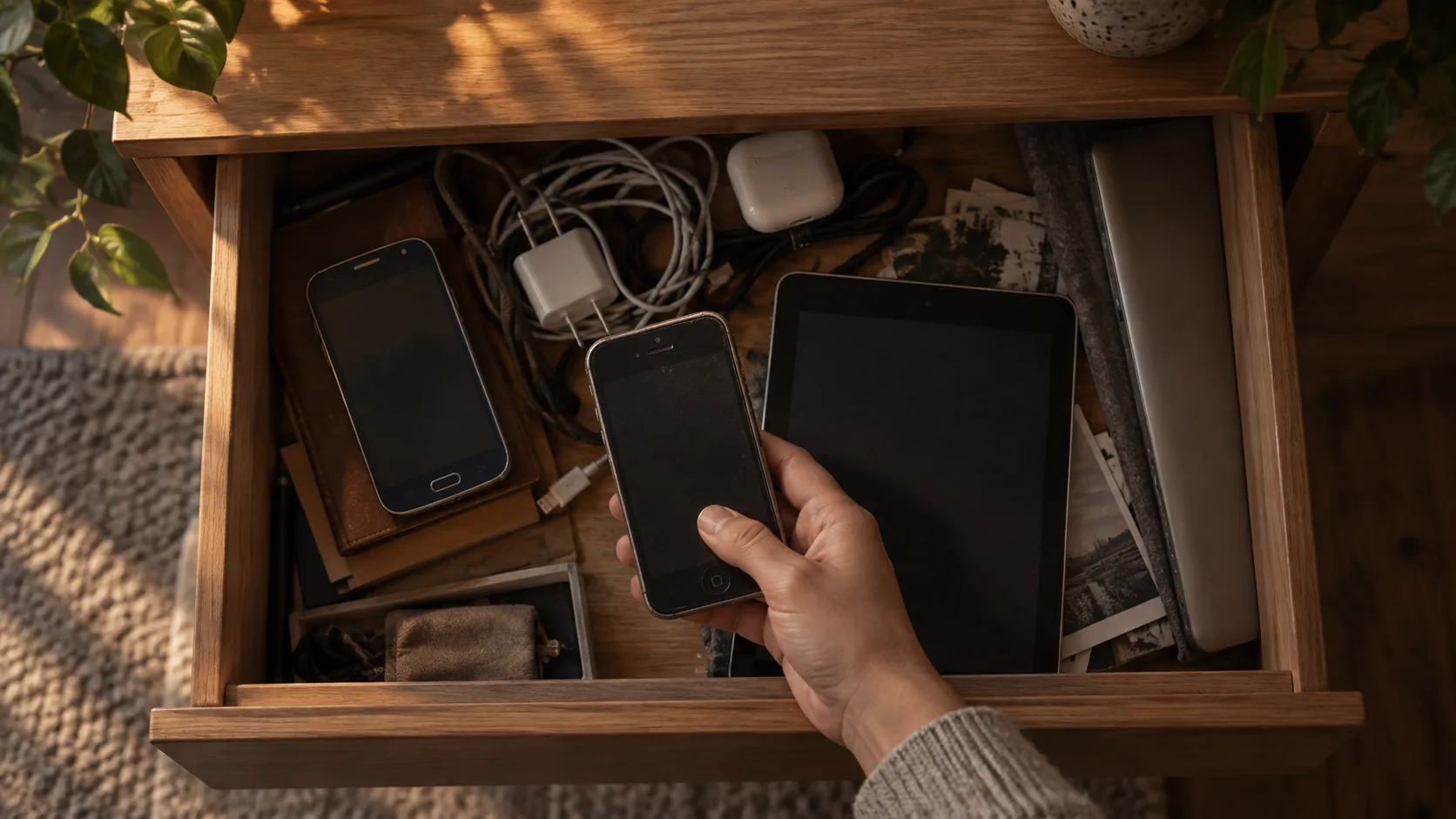
Most homes have a drawer like it. Two or three old phones, a tablet that stopped getting updates, a laptop nobody opens, a tangle of chargers. Each still has a camera, a microphone and a battery. None of them is doing anything.
Many of the same homes already have smart devices on the walls: door sensors, motion sensors, a smoke alarm linked to the hub. Put the two together and you have most of a security system. It just is not set up to be one.
Where it started
Our founder lived in exactly that home. Smart-home devices in most rooms, drawers full of retired phones and tablets, and a growing need to know what was happening at home while he was away.
The usual answer is to buy a security system: new cameras, new sensors, someone to install them. Then it dawned on him that everything he needed was already in the house. The old phones had cameras that could see movement. The tablets had microphones that could hear glass break. The smart sensors already knew when a door opened. What was missing was the part that made them one system: something to arm them together, decide what counts as an alarm, and tell him about it.
So he built that part, for his own home.
From one house to every house
The first version worked well, better than expected. So he kept improving it: another kind of device, another sensor, fewer false alarms. At some point the question changed from “does this work for my home?” to “why should it work for only one?”
A tool for one household can take shortcuts that a product for many homes cannot. So we rebuilt it as a secure cloud service. Every device pairs with a code that works once and expires after 15 minutes. Sign-in and device keys stay in the iPhone Keychain, the Android Keystore or your computer’s keychain. Every connection is encrypted.
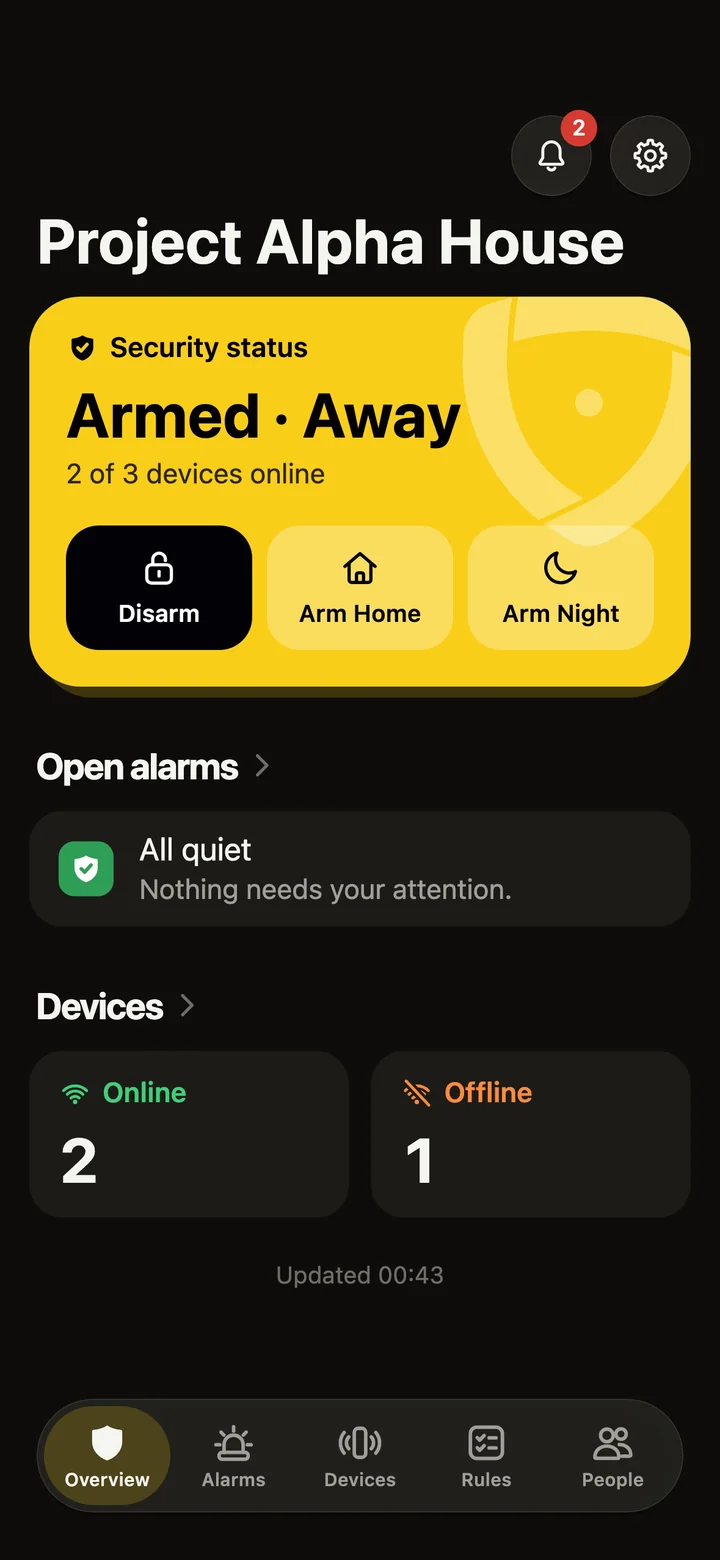
The cloud is also what makes a drawer of old devices dependable. It decides what is an alarm, and it watches the watchers: every sensor checks in every 20 seconds, and one that goes quiet for 90 seconds is reported offline. A flat battery or a pulled plug never looks like “all quiet”.
What heySec Home does today
Every device brings its own senses
Install heySec Sensor on a spare iPhone, iPad or Android device, or on a Mac, Windows or Linux computer, and pair it from the heySec Home app. heySec offers only the sensors a device really has. Depending on the device, that is movement or a person in view, glass breaking, a smoke alarm, a loud noise, the device being moved or unplugged, lights switched on, or someone using the computer while you are away.
HomeKit sensors (through an iPhone or iPad) and Home Assistant sensors come in too: doors and windows, motion, locks, the doorbell, smoke and leaks. They are read, never controlled.
Every device keeps its day job, and takes the night shift. The kitchen tablet still shows recipes. On a computer, the camera and microphone open only for sensors that are armed, so they stay yours the rest of the time.
Arm it the way you live
Arm Home, Arm Night or Arm Away from your phone, or let heySec follow who is home. When you come back in, an entry delay counts down so you can disarm first.
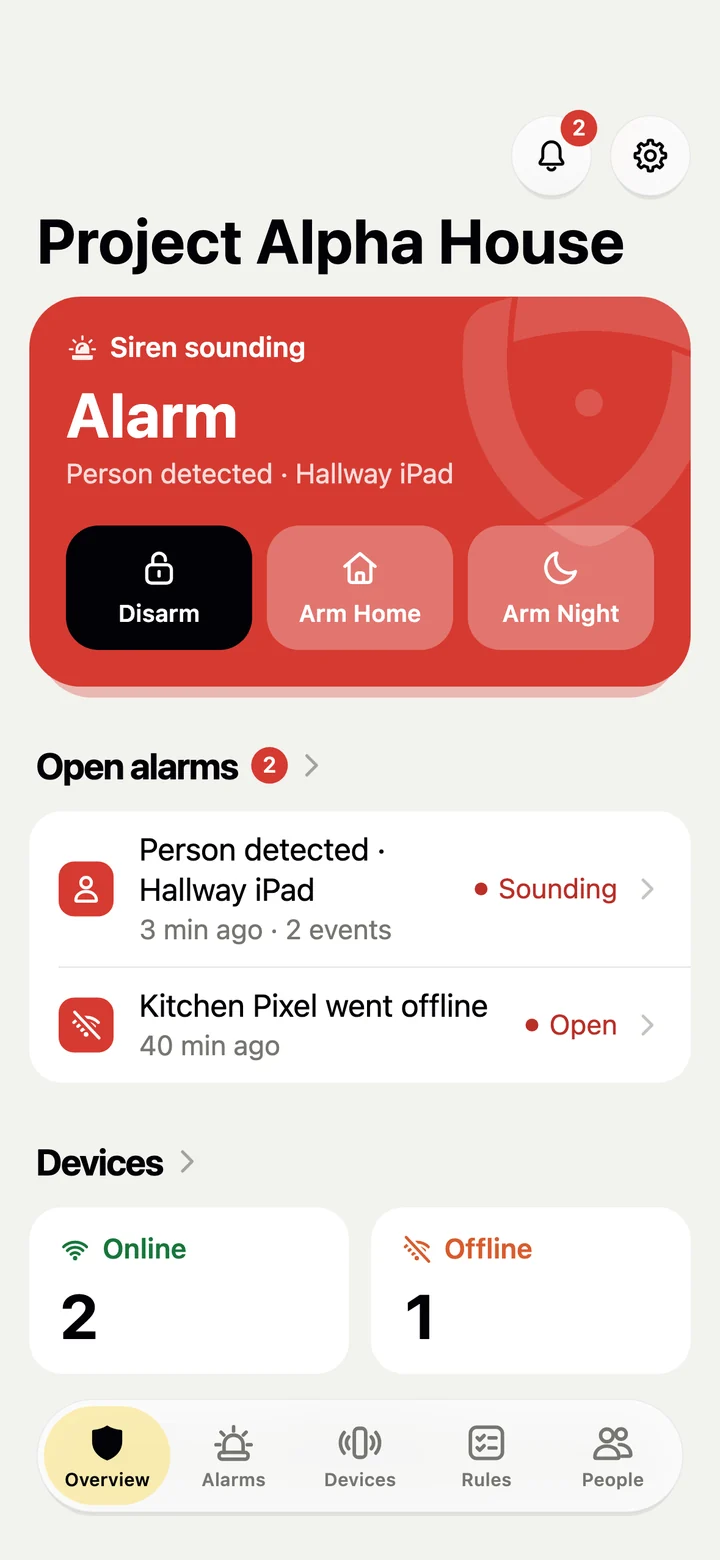
An alarm names the device and what it noticed. It reaches your phone and your inbox, and devices with the siren turned on sound it until someone disarms. While the house is armed, every camera that was watching sends the 20 seconds of video around the alarm. When a sound sets it off, the 20 seconds of sound come too. The video, sound and photos are all end-to-end encrypted: only you and your household can see or hear them, not even us.
Rules you can read, for people you trust
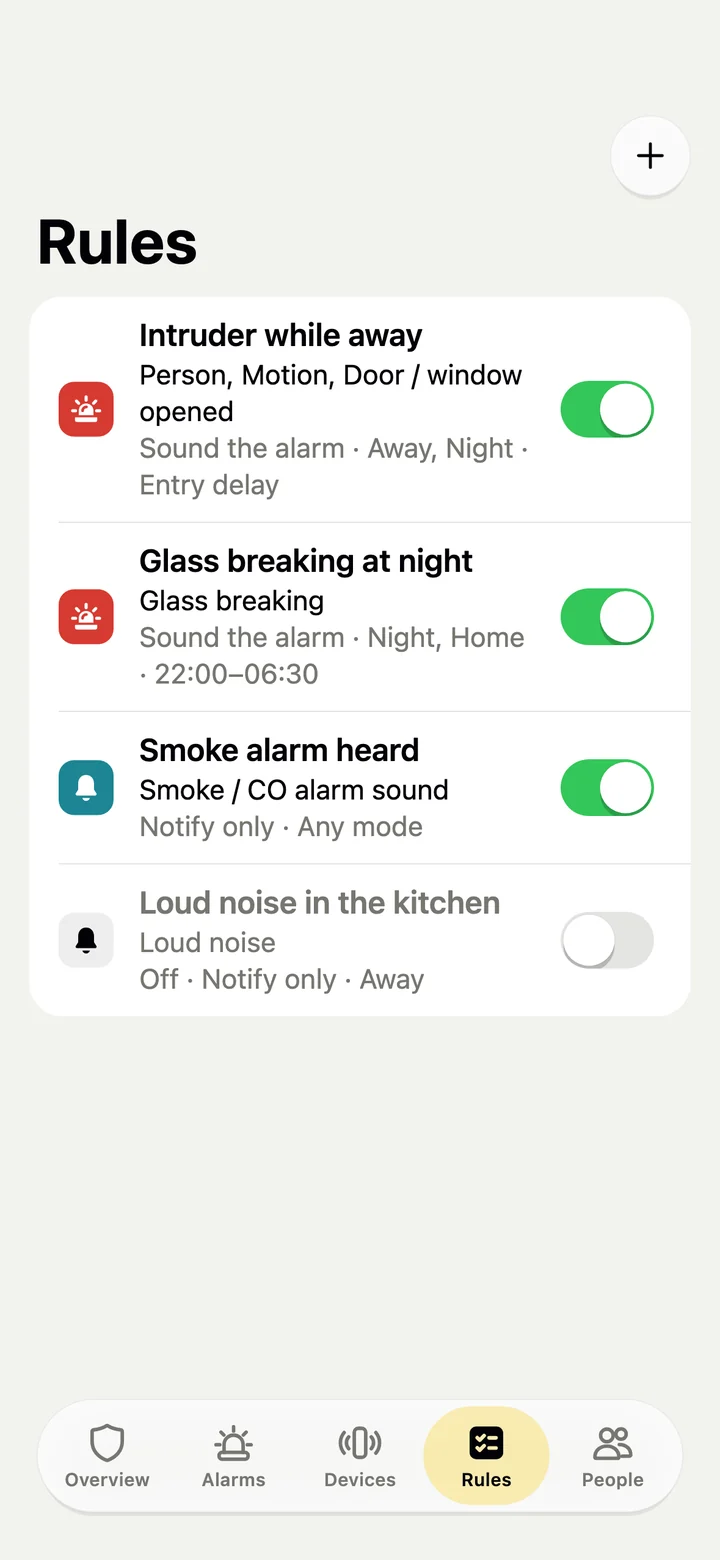
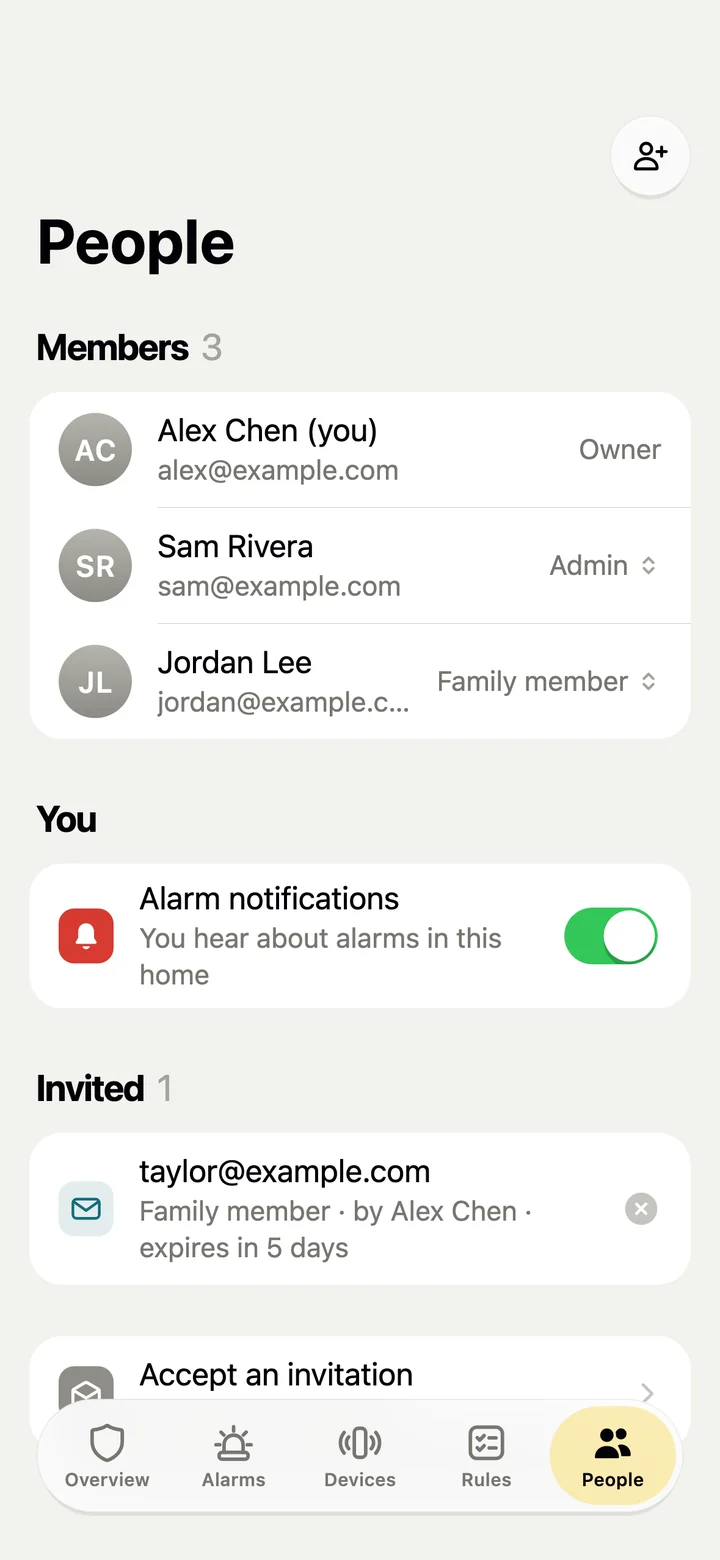
heySec sets up sensible rules for every kind of sensor it finds. Each one says which sensors it uses, in which modes and at what hours, and whether to sound the alarm or just let you know. Invite family by email as an admin, a family member who can arm and disarm, or a viewer who can only look.
The ways in, riskiest first
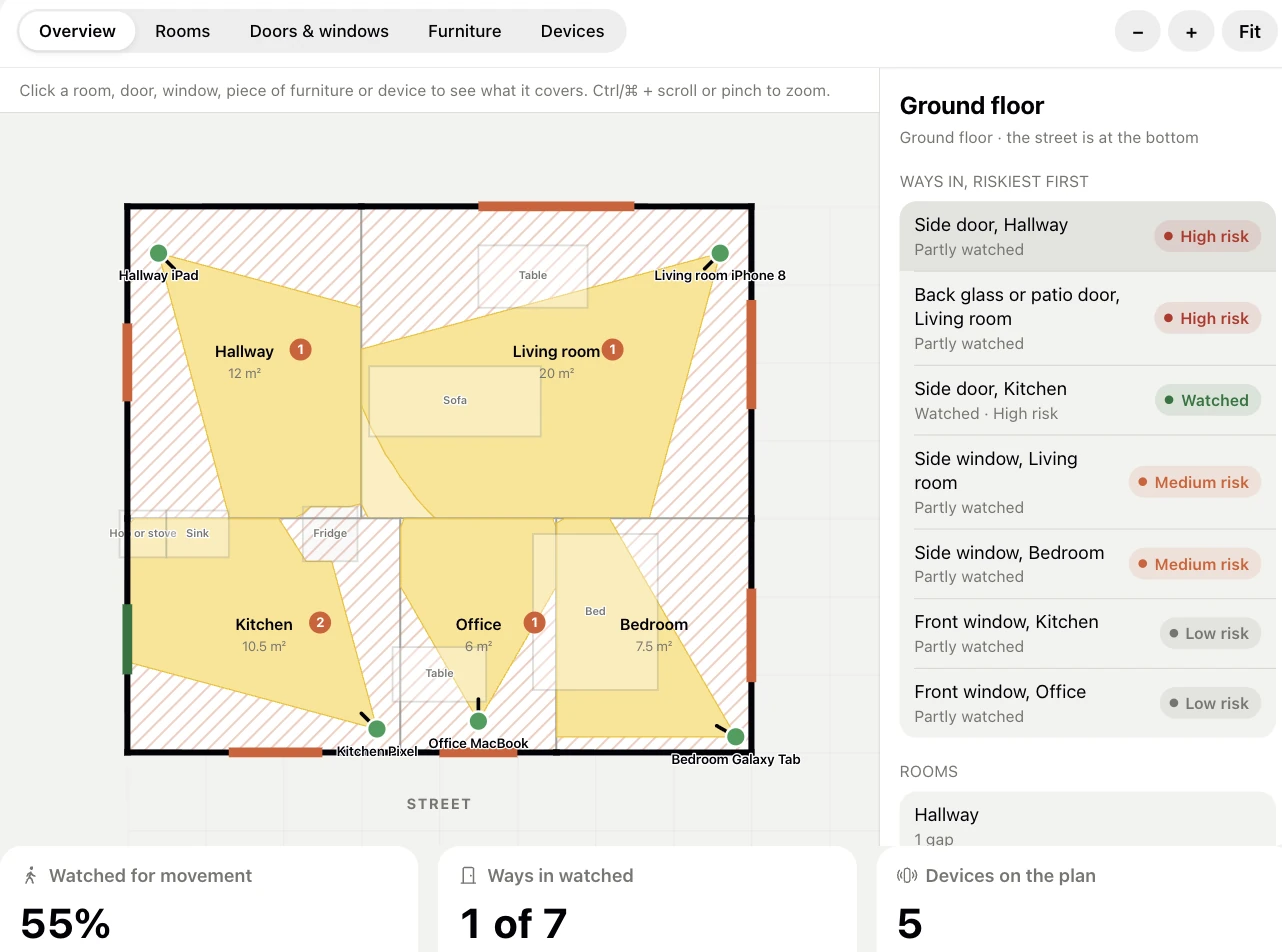
Walk through a room holding your phone and heySec draws its floor plan. On an iPhone Pro or iPad Pro, LiDAR measures the walls, doors and windows as you go; on other phones you aim the camera at each corner. Only the outlines in metres are kept.
With your rooms on the plan, heySec shades what each camera can see and ranks every door and window by how easy it is to get in. That tells you where the next old phone will do the most good.
Private by design
A security system should not become a surveillance system. Sound is analysed on the device, and only a label like “glass breaking” is sent, plus the 20 seconds around it when it sets off an alert while the house is armed. Cameras send still photos only while the house is armed, or when an admin asks. Only the home’s members can see them, and they are deleted after 30 days by default. Sound clips, video and photos are all end-to-end encrypted, so only you and your household can see or hear them. No one else can, not even us.
Still improving
We have not stopped adding: more kinds of devices, more sensors and better detection. A recent example: cameras now tell a change of light from movement, so a dark room brightening at dawn no longer looks like someone walking in.
The goal is the same as on day one. Good home security should not depend on buying a new system. Most homes already own one; it is in the drawer.
Join the waitlist
heySec Home is in private testing on iPhone, iPad, Android and desktop. Join the waitlist and we will invite you as places open. Your old phones get a second life, not a landfill.