
Prompt Firewall
Scan it. Contain it. Send it safely.
Prompt Firewall gives your AI two layers of protection in the same run. First, it scans every piece of incoming content for hidden attacks. Then it locks that content inside a secure boundary your AI is told to treat as data, not instructions. Scanning catches the attacks we recognise. Containment protects against everything else.
How it works
From untrusted content to a protected prompt, in one call
01
Pass content through the firewall
Before your AI reads any untrusted input, route it through Prompt Firewall. Emails, web pages, PDFs, Office docs, spreadsheets, images. One API call handles every format.
02
We scan for attacks
Multiple detection engines run at once. They strip away disguises, decode hidden messages, spot fake conversations, and catch every trick attackers use to sneak instructions past defences. All of this in 3 to 12 milliseconds, across hundreds of languages.
03
We lock it inside a secure boundary
Containment wraps untrusted content inside a secure boundary your AI treats as data, not instructions. Even if an attack slips past scanning, it stays trapped inside the boundary and cannot give orders to your AI.
04
You get a ready-to-use prompt
We send back a complete prompt you can hand straight to your AI: content wrapped, security rules in place, plus a verdict and a list of anything we found. If something is dangerous, we tell you. You decide what to do with it.
Two layers
Scan it.
Contain it.
Scanning catches attacks we recognise: hijack attempts, hidden commands, invisible characters, impersonation, and more, across hundreds of languages. Containment protects against everything else by locking content inside a boundary your AI treats as data, not instructions. Together, they give you defence in depth against prompt injection.
Speed
Both layers run in 3 to 12 ms. Roughly 100 times faster than running another AI to screen the content, much cheaper, and no expensive hardware needed.
Capabilities
Built for security teams that ship fast
Easy to add
Simple API. Flexible by design.
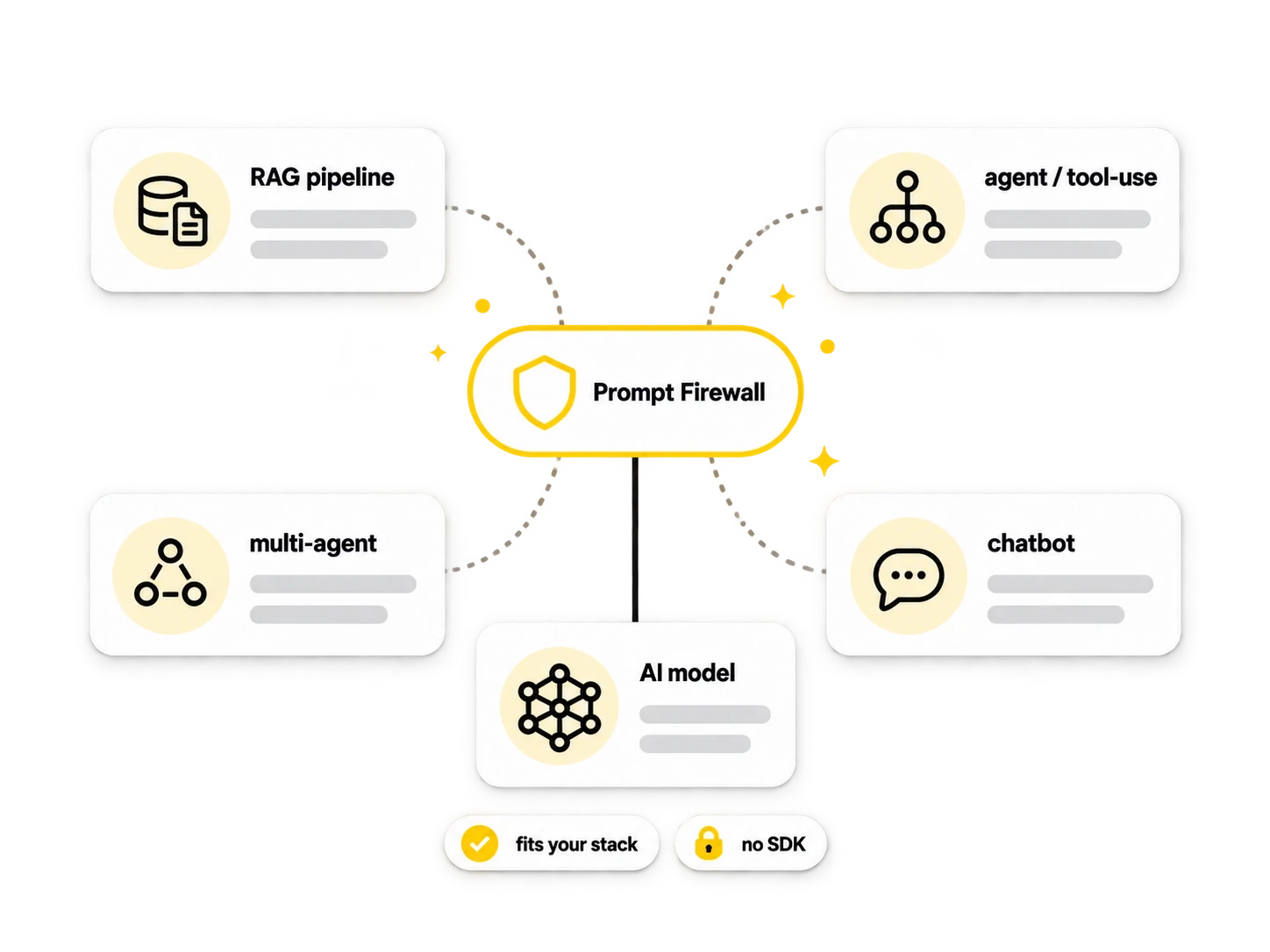
Scanning and containment in the same run. Fits any architecture: RAG pipelines, tool-use chains, multi-agent systems, or a straightforward chatbot. PDFs, Word docs, spreadsheets, images, plain text. Works from any language. No SDK required.
Full visibility
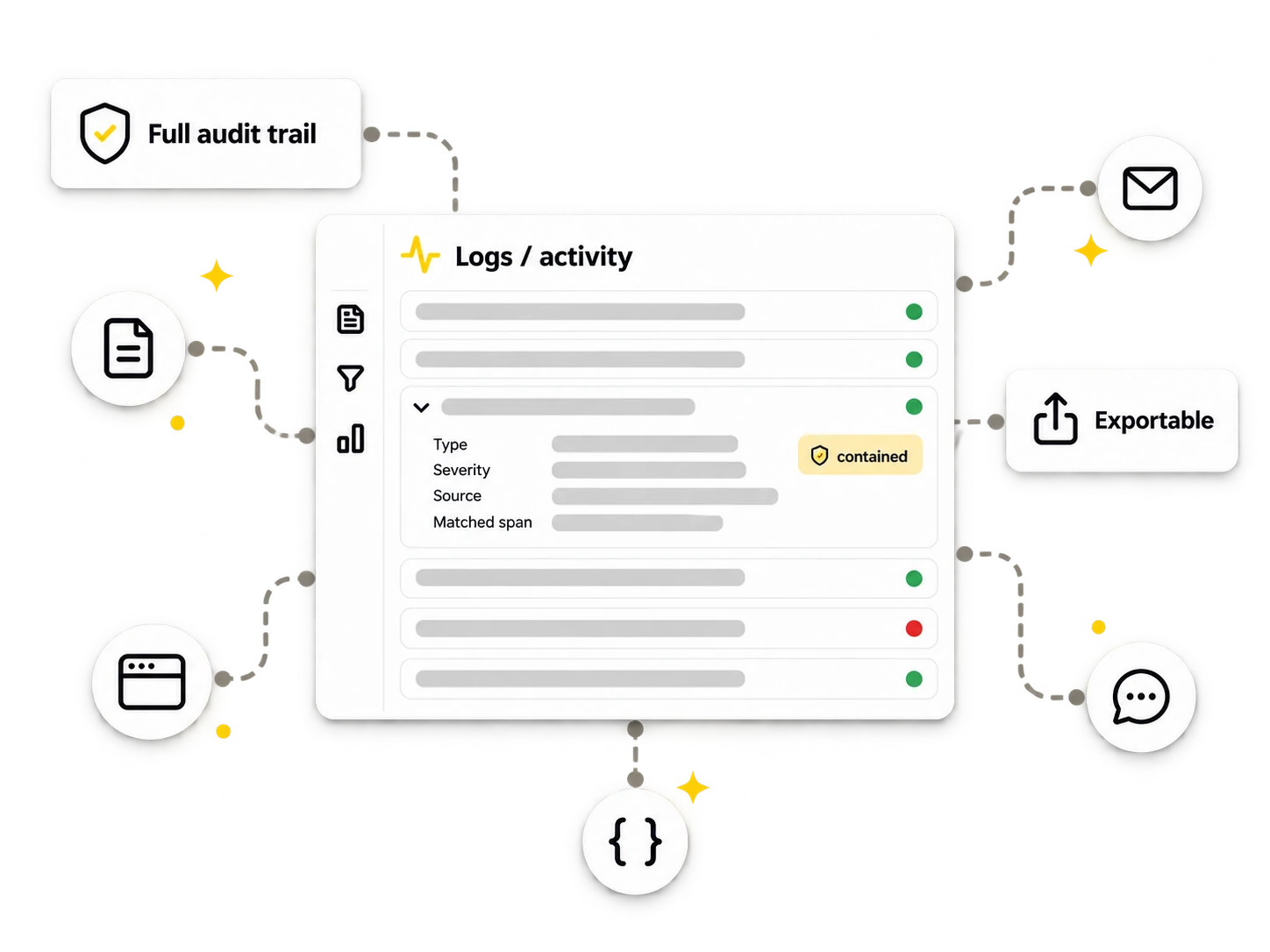
A complete record of every request
Every scan, every containment, every verdict is logged. You always know what came in, what we found, and how we protected it. If your auditor asks, if a customer questions something, or if you need to investigate an incident, the answer is right there in plain language. Logs plug into your existing security tools.
Coverage
Every kind of attack, two layers of defence
Scanning catches known attack types. Containment makes sure that even unknown techniques stay trapped inside the boundary and cannot give orders to your AI. When new attacks appear, we add detection rules automatically, and containment has you covered in the meantime.
Speed
Both layers run in milliseconds
Scanning and containment happen together in one pass. A short message clears in a blink. Even a long document only adds a small pause. Your users never notice the protection. No special hardware, no GPUs, just standard servers doing their job quickly.
Make your AI safe to read the real world
Prompt Firewall is in private testing. One API call gives you scanning and containment from day one.