 Spy CheckFree Mac app for MVT, by heySec
Check your phone for spyware, right on your Mac.
The easy way to run MVT, the toolkit Amnesty International’s Security Lab built to uncover Pegasus. Check an iPhone or Android phone for spyware, with nothing leaving your Mac.
Download available soon
 by
by

Built on MVT
MVT does the checking. Spy Check makes it easy to use.
Spy Check is a graphical interface for MVT, the free, open-source toolkit Amnesty International’s Security Lab released in 2021 with the Pegasus Project.
Why we built it
Spyware is aimed at journalists, activists and human rights defenders, and stalkerware at people whose partner wants to control them. They need a check the most, and are rarely technical.
MVT is made for investigators: you install Python and the iPhone and Android tools, then type commands to back up, decrypt and check the phone. Spy Check does all of that behind a few buttons, in English and every other official EU language.
Also inside, and also open source: libimobiledevice makes the iPhone backup, and androidqf, from the MVT project, collects the data from an Android phone.
MVT · Mobile Verification Toolkit
Made, in its authors’ words, to simplify and automate the process of gathering forensic traces
that show whether an iPhone or Android phone was compromised. Maintained by Amnesty International’s Security Lab and other contributors.
Amnesty International Security Lab
The Lab works to protect civil society from unlawful digital surveillance, spyware and other human rights abuses
. It investigates attacks on activists and journalists, and helps people who may have been targeted.
MVT’s authors write that it is not intended for end-user self-assessment
: public spyware traces can miss new attacks, and only experts can examine a phone thoroughly. Take Spy Check’s answer as a first check, and if you may be at risk or it finds something, get help from Amnesty International’s Security Lab or the Access Now Digital Security Helpline.
Spy Check is an independent app by heySec, not reviewed or endorsed by Amnesty International or the MVT project; their names and logos credit their work.
What it looks for
The spyware in the headlines, and the kind that hides closer to home
MVT compares your phone with its public list of known spyware traces: the web addresses, apps and files investigators have tied to each one. Before every scan, Spy Check updates its copy of the list if it is more than a day old.
Mercenary spyware
Pegasus, exposed by the Pegasus Project, and the other spyware investigators have found on the phones of journalists, activists and others.
Forensic tools
Traces of the Cellebrite tools, made to break into phones and copy what is on them.
Stalkerware
Apps someone can hide on a phone to read its messages and follow where it goes.
170+ apps
Where the traces come from
Each spyware’s traces are published by the researchers who uncovered it; MVT gathers them in a list on GitHub.
- Pegasus
- Amnesty International
- Predator
- Citizen Lab, Meta, Cisco Talos, Amnesty International, Inside Story, iVerify
- Candiru
- Microsoft, Recorded Future
- KingSpawn
- Citizen Lab, Microsoft
- NoviSpy
- Amnesty International
- DarkSword
- Google Threat Intelligence Group, iVerify, Lookout
- Operation Triangulation
- Kaspersky
- Cellebrite
- Citizen Lab
- Stalkerware
- Echap
How it works
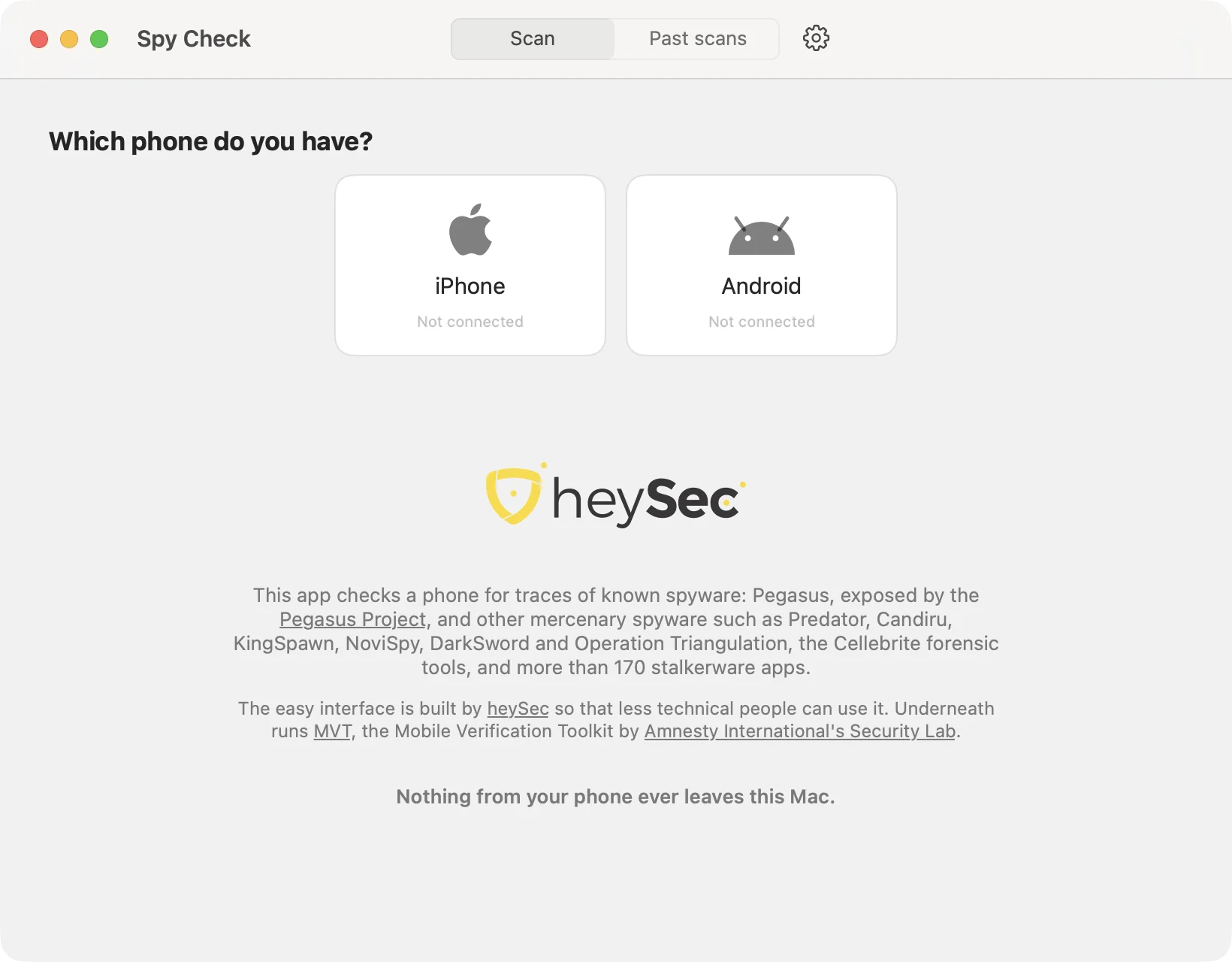
One cable, and the app shows you every step
-
Open Spy Check
MVT and the tools it needs come inside the app. No account, nothing else to install and no Terminal.
-
Plug in your phone
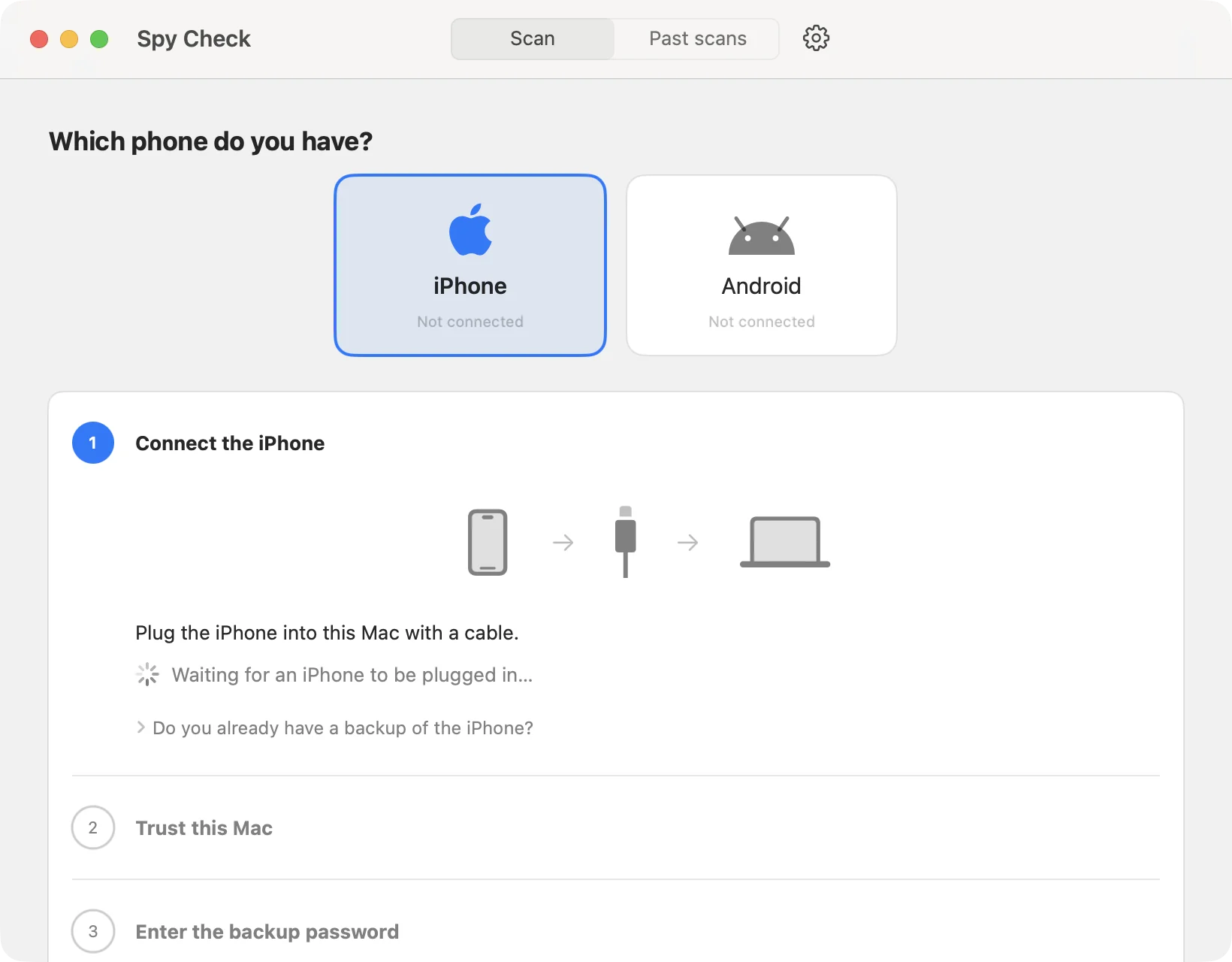
Choose iPhone or Android and follow the numbered steps. The app tells you what to tap on the phone, and when you can unplug it.
-
Get one clear answer
MVT checks what was copied against the spyware list, and Spy Check turns its findings into one line you can act on.
What each phone needs
-
iPhone
The iPhone’s passcode and its backup password, or a new one you choose and keep safe. The whole phone is backed up to the Mac and decrypted, which needs free space of about twice what the iPhone holds. Already have a backup? Spy Check can check that instead.
-
Android
USB debugging, which the app shows you how to turn on and you can turn off again after the scan. It then asks a few questions, each preset to the answer that checks the most.
The result
One line that says where you stand
MVT’s findings, the logs and the files stay in Past scans, for you or for an expert to look at later.
A match
Possible spyware found
A trace from the spyware list, or a serious sign such as Apple’s warning about a state-sponsored attack. Don’t reset the phone or delete apps yet: that destroys the evidence.
Nothing matched
No known spyware found
Things that usually have an everyday explanation, like an app from outside the App Store, are listed as worth a look.
Not everything could be checked
No known spyware found
Part of the phone’s data could not be checked, and the app says which part, so a result never looks more complete than it was.
-
If spyware is found
Keep the phone as it is and get expert help from the Access Now Digital Security Helpline or Amnesty International’s Security Lab. The result screen links to both.
-
A clean result is not a guarantee
MVT only knows spyware whose traces have been published. Check again from time to time: the list grows as new spyware is found.
Privacy
Nothing from your phone leaves your Mac
Checked offline
MVT runs with its network access switched off, so not even the links found on your phone are looked up. The only download is the spyware list.
Deleted when done
The backup and everything read from it, such as messages, contacts, calls and browsing history, are deleted as soon as the check is done, or when you cancel it. Only the findings stay.
No password kept
The iPhone backup password goes straight to the tools that need it. It is never saved on the Mac or written to a log.
Questions, answered
Is Spy Check really free?
Yes. There is no account, no subscription and nothing to buy. Download it and check your phone as often as you like.
What do I need?
A Mac with Apple silicon (M1 or later) on macOS 14 or later, a cable that connects your phone to it, enough free space on the Mac (see the next question), and the phone: an iPhone, or an Android phone on which you can turn on USB debugging. Spy Check does not run on Windows or on Macs with an Intel processor.
How much free space does my Mac need?
For an iPhone, about twice the space it uses (Settings › General › iPhone Storage): a backup plus a decrypted copy, so a nearly full 128 GB iPhone can need over 200 GB. Spy Check says before it starts if there is not enough, and its settings (gear icon) can keep scans on an external drive. An Android phone needs far less: room for copies of its apps.
Does “No known spyware found” mean my phone is clean?
Not for certain. Spy Check can only find spyware whose traces have been published. It keeps its list up to date, so checking again from time to time also finds what was discovered since.
Can I check someone else’s phone?
Only when its owner asks you to or clearly agrees. MVT, which does the checking, may only be used with the explicit, informed consent of the phone’s owner, given without any pressure. Checking a phone behind someone’s back can also be against the law.
How long does a scan take?
An Android phone usually takes 15 to 40 minutes when every app is copied, as recommended. An iPhone is backed up in full first, which can take over an hour for a full phone. Keep the phone connected until the app says you can unplug it.
What if the scan finds something?
Do not reset the phone or delete apps: that destroys the evidence experts need. Contact the Access Now Digital Security Helpline or Amnesty International’s Security Lab. The result screen links to both.
Does anything get sent to heySec?
No. Spy Check has no account and sends nothing to heySec. The only thing it downloads is the spyware list.
Is Spy Check made by Amnesty International?
No. heySec makes Spy Check; Amnesty International’s Security Lab makes MVT, which Spy Check runs.
Can I use MVT without Spy Check?
Yes. MVT is free and open source, and its documentation explains how to install and run it from the command line. Spy Check runs the same MVT against the same spyware list.
Find out what is on your phone
Free, private and made for people who have never opened a Terminal.
Download available soon